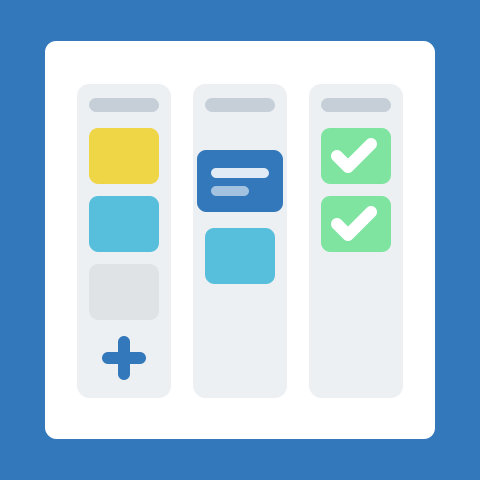
AmazingBoards 1.0 is here. After months in preview with early small-business teams, this is the release where the product stops feeling like a beta and starts feeling like the tool you can run your week on.
This is not a feature dump. It is the point where the core pieces - boards, automations, extensions, and AI - come together into something coherent enough to trust with real work.
From preview to 1.0
The path here was intentionally staged. Early previews proved that a fast, drag-and-drop board was the right foundation. From there we layered in the automations teams kept asking for, opened up an extensions marketplace so businesses could shape the app to their workflow, and added an AI assistant to take the busywork off people’s plates.
Each step was shaped by watching real small teams use it: what they reached for, what they ignored, and where the app got in their way. 1.0 is the version that reflects all of that.
What shipped in 1.0
- Boards, lists, and cards - the core kanban experience, fast enough to reorganize on the fly
- Automations - rules that move cards, assign teammates, set due dates, and post updates when conditions are met
- Extensions marketplace - add integrations and custom views without weighing down the core app
- AI assistant - draft cards, summarize board status, and get suggestions on what to tackle next
- Team collaboration - comments, mentions, assignments, and shared visibility across every board
Built for small businesses
Everything in 1.0 is tuned for small teams, not enterprise rollouts. You can create a board and start working in minutes, and the more advanced pieces - automations, extensions, AI - are opt-in rather than obligatory. The app scales with how much structure you want, instead of forcing a process on you up front.
Early teams are already running client onboarding, sales pipelines, and weekly operations on AmazingBoards. The common thread: they keep it open all day, which is exactly what we designed for.
By the numbers
Since the preview began, teams have created thousands of boards and run millions of automation actions. The most-used automation by a wide margin is auto-assigning a card when it moves to a new list.
What to set up first
If you are just starting with 1.0, begin with the parts that define how your team works:
- Create your first board and add the lists that match your workflow.
- Invite your teammates and assign a few cards.
- Turn on one automation - auto-assign or due-date reminders are good first choices.
- Browse the extensions marketplace for the integrations you already use.
- Ask the AI assistant to summarize your board once you have a few cards in flight.
What’s next
After 1.0, our focus is deeper automations, a broader extensions marketplace, and an AI assistant that understands more of your board’s context. We are also listening closely to how small teams use the product day to day.
If you build your workflow on AmazingBoards, tell us what worked, what you changed, and what should be easier in the next release.